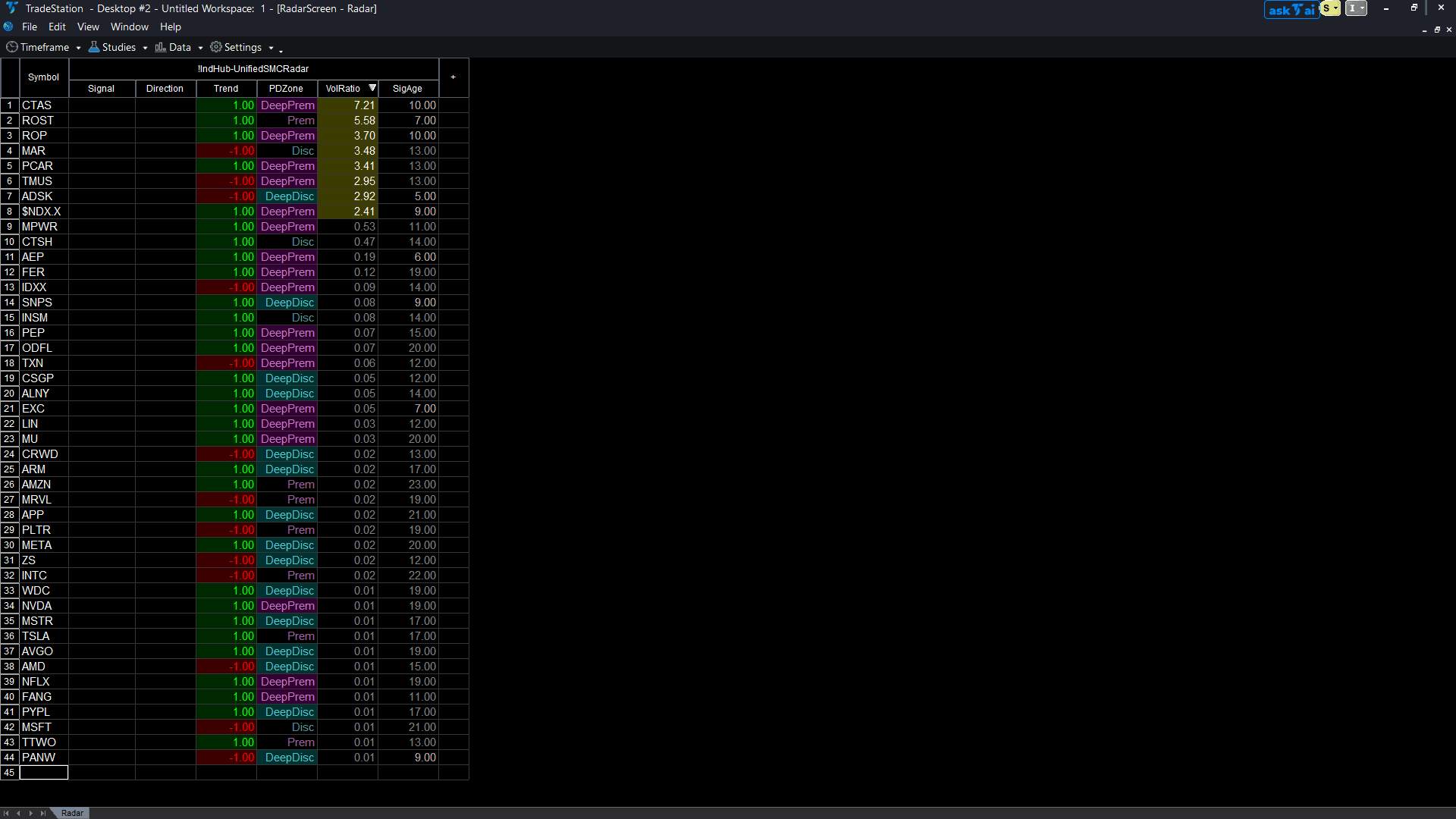
Unified SMC RadarScreen
The RadarScreen study provides 6 columns for scanning your entire watchlist: Signal (MSS or Sweep detection), Direction (bullish or bearish), Trend (current market structure direction), PDZone (Premium, Discount, or Equilibrium), VolRatio (volume spike detection), and SigAge (bars since last signal). Color-coded cells give instant visual context across 40+ symbols.
30-Day Money-Back Guarantee
Try it risk-free. Not satisfied? Full refund, no questions asked.
Part of the Unified SMC Trading System
Get all 3 study types for $297 — save $-212
Who This Is For
Add to your RadarScreen watchlist window. Sort by Signal or VolRatio to find symbols with active institutional signals. Use during market hours to catch MSS and sweep signals across your entire universe without opening individual charts.
See It in Action
Example chart showing Unified SMC RadarScreen on a live trading session
Installation Guide
Step 1: Import the ELD file
If you have not already imported the unified-smc-bundle.eld file, follow the chart indicator installation steps first. All three studies are included in one file.
Step 2: Open RadarScreen
Open a RadarScreen window with your preferred watchlist loaded.
Step 3: Add the study
Click Studies > Add Study. Find 'IIndHub-UnifiedSMCRadar' and click OK. The 6 columns will appear automatically.
Common Issues
All columns show zeros or blank values.
RadarScreen requires additional bars for calculation. Go to the General settings tab and set additional bars to at least 1000. Without sufficient bars, the indicator cannot calculate swing structures.
For additional help, contact support.