Unified SMC PaintBar
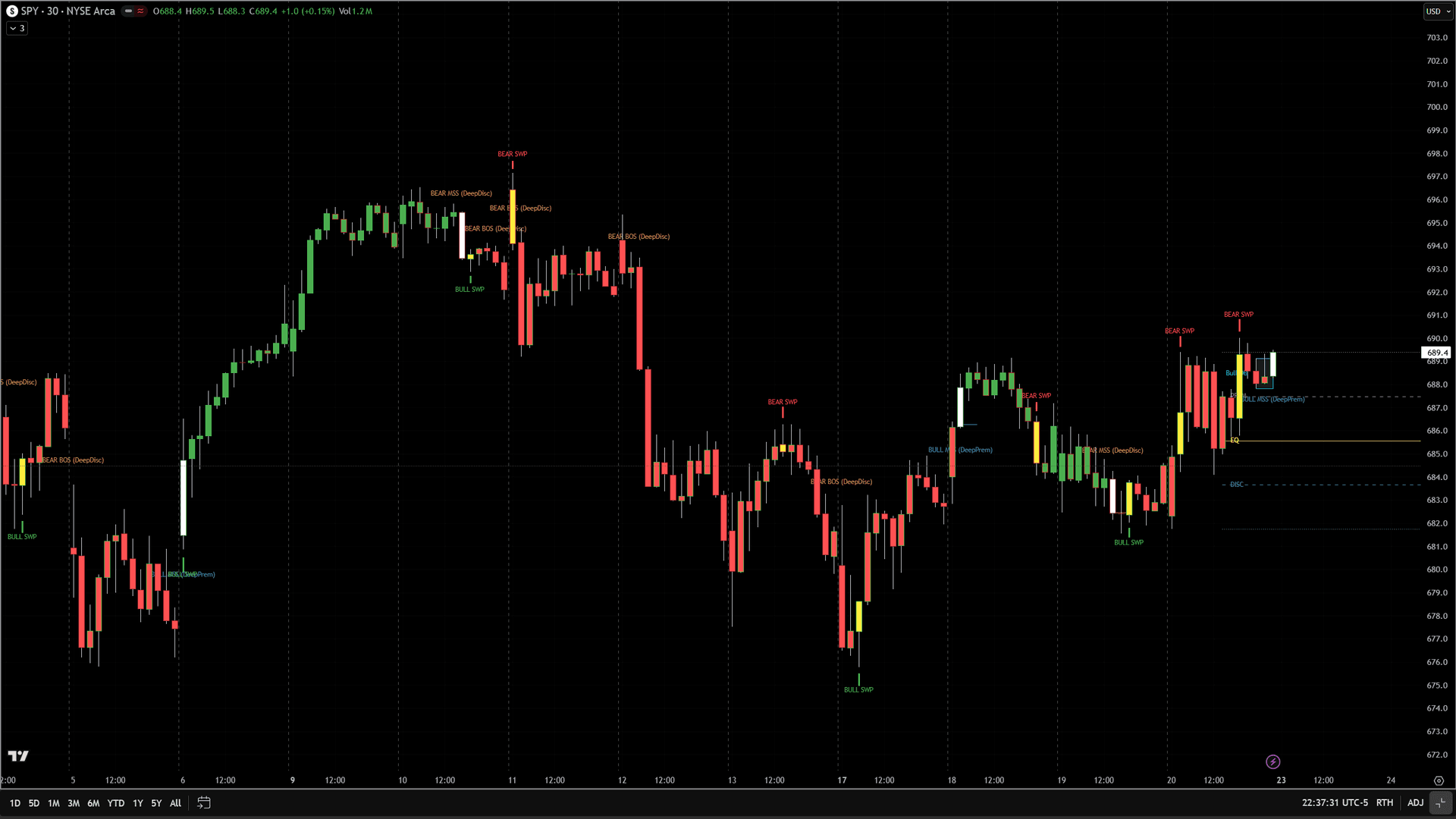
The PaintBar study colors every price bar using a clean 4-color system: Green for bullish trend, Red for bearish trend, White for Market Structure Shift (MSS) bars, and Yellow for Liquidity Sweep bars. This gives you an instant visual read on market phase and critical signal bars without needing to read labels or check subgraphs.
30-Day Money-Back Guarantee
Try it risk-free. Not satisfied? Full refund, no questions asked.
Part of the Unified SMC Trading System
Get all 3 study types for $297 — save $-212
Who This Is For
Layer on top of the chart indicator for immediate visual context, or use standalone for a clean, minimal chart view. The color system works on any timeframe and any market. White and yellow bars are the key signals — they represent the exact bars where institutional activity was detected.
See It in Action
Example chart showing Unified SMC PaintBar on a live trading session
Installation Guide
Step 1: Import the ELD file
If you have not already imported the unified-smc-bundle.eld file, follow the chart indicator installation steps first.
Step 2: Add the PaintBar
On your chart, click Studies > Add Study. Switch to the PaintBar tab. Find 'IIndHub-UnifiedSMCPB' and click OK.
Common Issues
The bar colors are not showing up.
Make sure you added the study from the PaintBar tab, not the Indicator tab. PaintBar studies are listed separately in the Add Studies dialog.
For additional help, contact support.